Delete products in my GoDaddy account
If you no longer need a product, follow these steps to delete the product from your account.
Warning: Once you delete a product from your account, you can no longer use it and it might not be recoverable - even if there's time remaining in the subscription.
- Are you deleting any of the following products? Each one has different steps to delete or cancel. For products not in this list, continue to the next step.
Note: If you're trying to delete a free product that came with the purchase of another product, the free product will not appear in your Subscriptions list as described below. Contact support to cancel the free product.
- Go to your Renewals and Billing page and select Manage Subscriptions.
- Select the product you want to delete:
If your product is not set to auto-renew, select Delete and continue with the next step.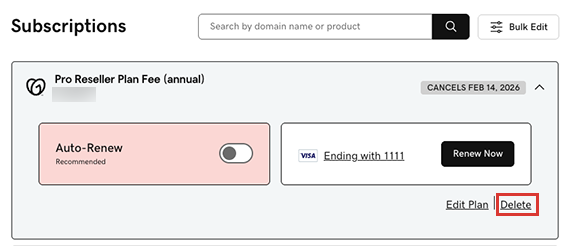
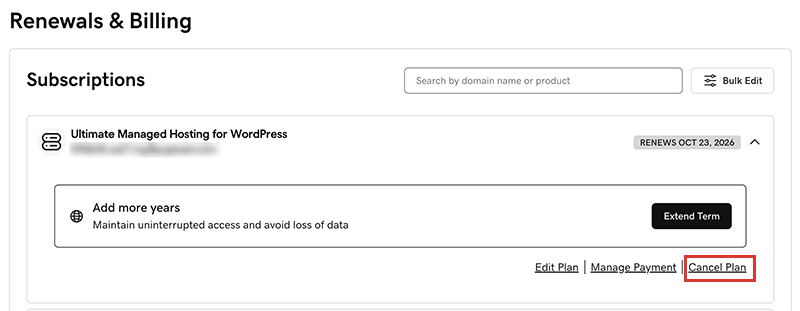
If your product is set to auto-renew:- Select Cancel Plan. For domains, select Cancel Domain.
- From the list, select a reason for cancelling the plan or domain and then select Continue to Cancel.
Note: Depending on your answer, we might ask another question or two to help us understand your decision. Each time, select Continue to Cancel to proceed.
- Below Confirm your cancellation, select Click here.

- Select Cancel Plan. For domains, select Cancel Domain.
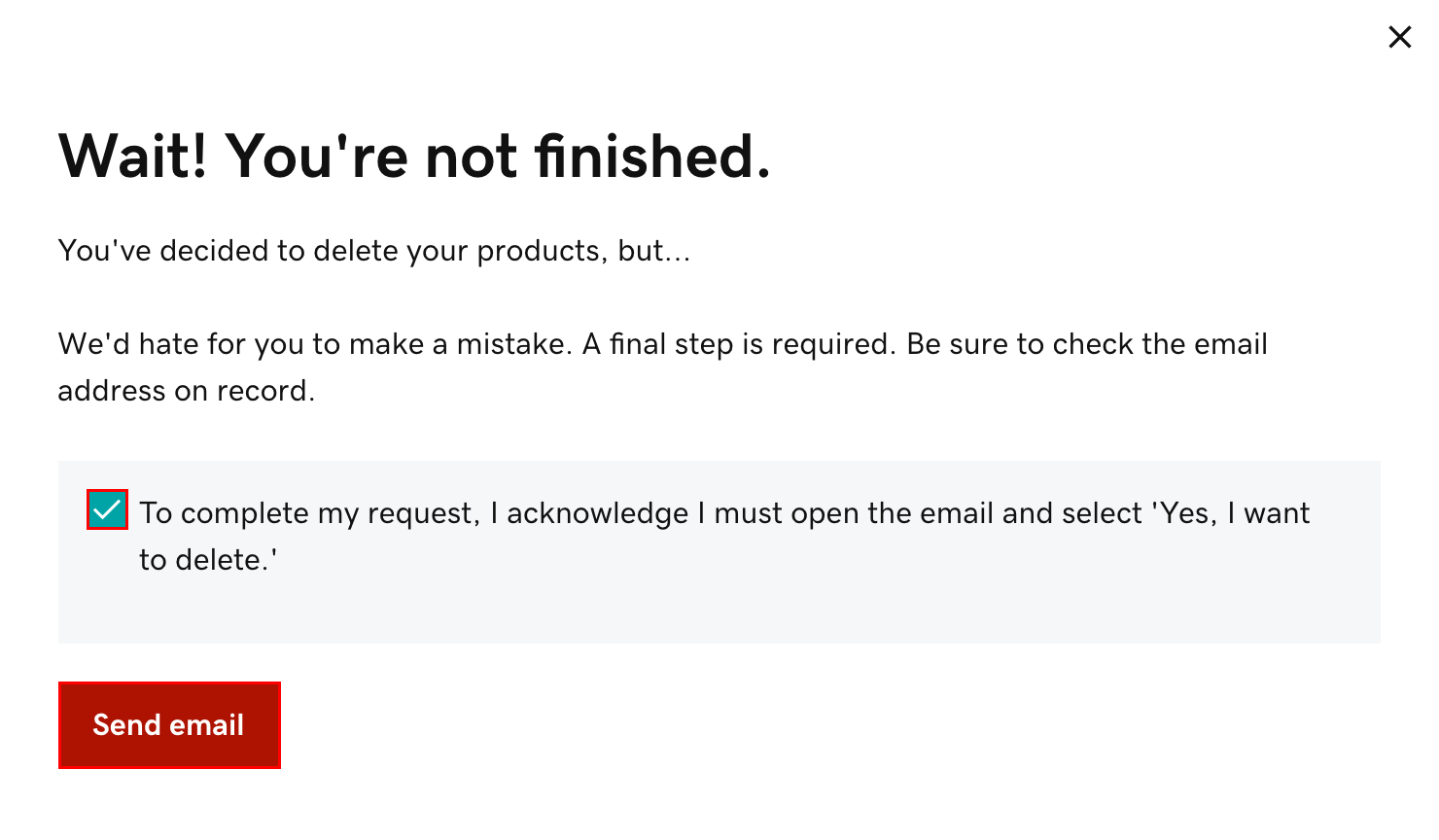
- Below Wait! You're not finished, select the checkbox next to To complete my request, I acknowledge that I must open the email and select 'Yes, I want to delete,' and then select Send email.
 Note: If you’re canceling a domain with Domain Protection, we'll need to verify your identity. Select Yes, Delete this product, then select Verify and delete. We'll send a verification code via SMS text message or authenticator app if you've had 2-step verification (2SV) enabled in your account for more than 24 hours. Otherwise, select Send Password to send a one-time password to the email address on your GoDaddy account.
 - When you receive our "Action Required" email, open it and select Yes, I Want to Delete! We'll take you back to your account. If you do not get our email, make sure the email address in your account profile is updated.
- Select Delete. We'll confirm that your product was deleted from the account. If you'd like, use the feedback box to let us know why you deleted the product.
More info
- You might be able to request a refund for a canceled product. For refund eligibility, review our refund policy.
- After you delete all your products, you can close your GoDaddy account. However, once your account is closed and your account data is deleted, you will no longer be eligible for a refund unless otherwise permitted under our under our refund policy.